Posts by natalia.szurawski@fullsteam.com

Holiday tips & tricks: a florist’s trick-or-treat guide

October 7th, 2026 Posted by Blog, Florist Deliveries, Florist Delivery, Florist Ecommerce, Florist Marketing, Florist Operations, Florist Point of Sale, Florist POS 0 thoughts on “Holiday tips & tricks: a florist’s trick-or-treat guide”

Round 1: Orders & Inventory

TRICK: The phantom order

A phone order gets scribbled on a sticky note during the lunch rush, and it never makes it into the system. Nobody notices until the customer calls asking where their centerpiece is.

Fall flower bouquet featuring warm autumn blooms in rich orange, yellow, red, and burgundy tones, accented with seasonal greenery.

TREAT: One order screen, every channel

Walk-in, phone, and web orders land in the same place the moment they’re taken, so nothing depends on a sticky note surviving the day.


Round 2: Deliveries

TRICK: The midnight map marathon

Someone stays late the night before a big delivery day, manually sequencing stops on a paper map and hoping they got the order right.

TREAT: Routes built in seconds

Automated delivery routing plots the most efficient path from your shop to every stop and back, with turn-by-turn directions sent right to your driver’s phone.

Round 3: Events & Accounts

TRICK: The vanishing wedding follow-up

A holiday-party or wedding inquiry from September gets buried under Halloween orders, and the client books somewhere else while they wait to hear back.

TREAT: Proposals that keep moving

A dedicated wedding & event manager keeps every proposal, deposit, and follow-up visible — even when the front counter is slammed.

Your October pre-rush checklist

  • Confirm your delivery zones and holiday pricing are current on your website
  • Set occasion reminders now for Thanksgiving, Christmas, and New Year’s regulars
  • Double-check that walk-in, phone, and web orders are all syncing to one place
  • Review open wedding and event proposals before the holiday backlog hits
  • Run a house account report so nothing carries an unbilled balance into the new year

None of these treats require more hours in the day — they just require your system to do the remembering, so your team can spend the holiday rush on flowers instead of paperwork. That’s the whole idea behind Floranext: build the software so the season feels busy, not haunted.

Get your shop ready for the season

Floranext brings your orders, delivery routing, wedding proposals, and house accounts into one system — so this October through New Year’s runs smooth, not scary.


What features should a good floral shop management system have?

September 30th, 2026 Posted by Blog, floral system, Florist Marketing, Florist Operations, Florist Point of Sale, Florist POS, Florist Profile, Florist Resources, Florist Websites 0 thoughts on “What features should a good floral shop management system have?”

01. One order screen for every channel

Walk-in, phone, and online orders all need to land in the same place. If your website orders live in one inbox and your phone orders live in a paper pad, someone is doing double entry — and double entry is where wrong addresses and missed card messages come from. A good system takes an order once, in whatever channel it arrived, and treats it the same way from there on out.

02. A florist website that’s actually yours

Your website should feel like your shop, not a rented template with your logo pasted on. Look for florist-specific storefront features — delivery-zone pricing, card messages at checkout, occasion reminders, subscription flowers — plus themes you can genuinely customize. And ask about commissions: some wire-service-adjacent platforms quietly take a cut of every online order. A system built for independent florists lets you keep what you earn.
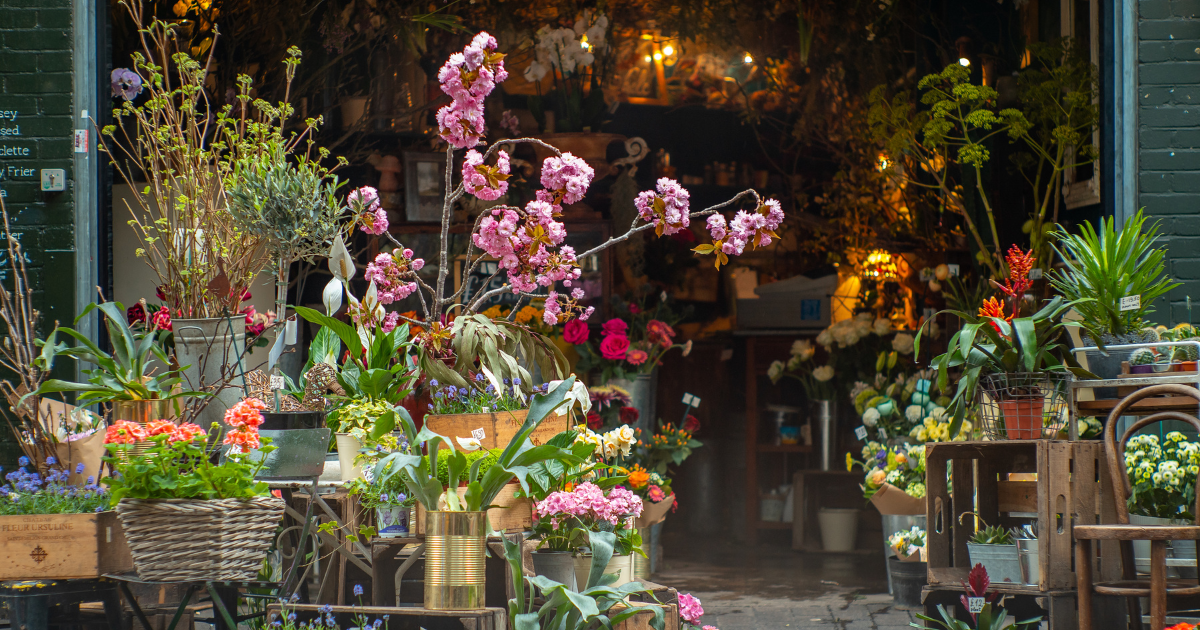
Florist shop with a colorful bouquet of fresh flowers in a floral shop, surrounded by seasonal blooms and greenery.

03. Delivery routing that isn’t guesswork

Once the orders are in, someone has to get flowers out the door in the right sequence. A good system builds delivery routes automatically, maps the most efficient path from your shop to every stop and back, and hands your drivers turn-by-turn directions on their phone instead of a hand-drawn map on the dash.

04. Wedding and event proposals that close the sale

Weddings and events run on trust, and trust runs on paperwork the client can actually read. A florist-specific system should let you build a polished, itemized proposal — arrangements, quantities, costs — send it for approval, and collect a deposit, all without exporting anything into a word processor.

05. House accounts and flexible payment

Funeral homes, hotels, and repeat corporate clients don’t pay like walk-in customers. They need house account statements, terms, and a record of what’s owed. Your system should track that automatically and let you take payment however the moment calls for it — card on file, terminal, or online link.

06. Reporting you’ll actually open

You shouldn’t need a spreadsheet to find out which hour of the day is busiest, or whether web sales or phone sales are carrying the month. Good florist reporting surfaces sales, delivery volume, and staffing patterns in a form you can glance at between customers, not a data export you have to wrangle.

07. Inventory that reflects the cooler, not the catalog

Flowers are perishable and prices move week to week. A system that tracks what’s actually in your cooler — and what it cost you — keeps your margins honest, especially heading into a holiday rush when supply costs spike.

08. Support from people who’ve stood behind a counter

Software support that doesn’t understand floral operations is frustrating at the worst possible moment — usually a holiday. Look for onboarding and a support team that knows what a “wire order,” a “house account,” or a “delivery window” actually means to your business.

09. Printable, fillable PDF forms — the quiet workhorse

This is the feature that rarely makes the sales pitch but shows up in every single shift. However advanced your software gets, a flower shop still runs on paper at the point where a human hands something to another human: a card, a delivery ticket, a signed contract. The florists who get frustrated with a system are almost always the ones whose software forgot this.

Where PDF forms actually do the work

  • Delivery tickets and route sheets. Your driver needs a printed slip with the recipient, address, card message, and delivery window — generated from the order automatically, not copied out by hand.
  • Wedding and event proposals. A clean, brandable PDF that a couple can review, sign, and send back, with every arrangement and line-item cost already filled in from your proposal builder.
  • Invoices and receipts. House account customers and corporate clients often need an emailed or printed PDF invoice for their own records, especially for accounting or reimbursement.
  • Care cards and enclosure cards. Print-ready card messages that go out with the arrangement, formatted correctly the first time.
  • End-of-day and house account statements. A downloadable PDF summary you can hand to an accountant or a repeat client without rebuilding it in a spreadsheet.

The reason this matters more than it sounds: PDF forms are the handoff point between your software and the physical world. A route sheet that has to be manually formatted, or a proposal that has to be rebuilt in Word, adds friction at exactly the moment you’re busiest. When form generation is built into the system — pulling straight from the order, the proposal, or the account — nothing gets re-typed, and nothing gets left out.

Ask any florist what actually goes wrong on a busy day, and it’s rarely the big stuff. It’s a card message that didn’t print, or a route sheet that was out of date by the third delivery.

That’s really the throughline across all nine of these: a good floral shop management system isn’t the one with the longest feature list. It’s the one where the order you take at 9am, the route your driver runs at 1pm, and the invoice your accountant sees in June are all the same piece of information, moving forward without anyone re-entering it. That’s what we’ve spent years building at Floranext, one flower shop at a time.


 

Falling Into Season: How to Make Sure Your Website Reflects Your Shop’s Specialty This Autumn

September 23rd, 2026 Posted by Blog, Floral Design, floral system, Florist Marketing, Florist Websites 0 thoughts on “Falling Into Season: How to Make Sure Your Website Reflects Your Shop’s Specialty This Autumn”

Start With What Makes You, You

Before touching a single photo or product listing, get clear on your shop’s specialty. Are you known for:

  • Garden-style, loose and textural arrangements
  • Clean, modern, monochromatic designs
  • Bold, maximalist color combinations
  • Weddings and events
  • Everyday, budget-friendly bouquets
  • Locally grown or sustainable flowers

Fall gives you natural material to lean into whichever of these is true for you. A garden-style shop can highlight dahlias, chrysanthemums, and grasses. A modern shop can do a restrained palette of rust, ochre, and deep green rather than a cliché orange-and-brown mix. The season should amplify your specialty, not override it.

Refresh Your Homepage Collections First

Your homepage is doing the most work of any page on your site, so it’s the first place fall should show up:

  • Feature a fall-specific collection front and center, not buried in a menu
  • Swap hero images to reflect the season and your signature style — a moody, textural shot if you’re garden-style; a clean, styled flat-lay if you’re modern
  • Update any seasonal messaging or banners so returning visitors immediately see something new

If your website platform lets you rearrange collections and update imagery yourself, do this the moment your fall stock or design direction is locked in.

Rewrite Product Descriptions With Fall Language, Not Just Fall Flowers

It’s easy to just relabel bouquets “Fall Collection” without changing anything else. Go a step further:

  • Mention seasonal blooms by name (dahlias, mums, sunflowers, amaranth) so search and shoppers both recognize relevance
  • Describe the mood, not just the ingredients — warm, cozy, harvest-inspired language reinforces the season
  • Tie descriptions back to your specialty: a modern shop might describe “a restrained autumn palette,” while a garden-style shop might describe “wild, just-picked texture”

Update Your Occasion and Gifting Pages

Fall carries its own occasions — Thanksgiving, fall weddings, cooler-weather sympathy and get-well arrangements, and early holiday gifting. Make sure these pages exist and are current:

  • Create or refresh a Thanksgiving centerpiece collection well before the week itself If you do weddings, showcase fall wedding work specifically — autumn couples are searching for shops that can prove they understand the palette
  • Update seasonal reminders and subscription messaging so repeat customers know fall options are live

Don’t Let Delivery and Availability Info Go Stale

Nothing undercuts a beautifully updated fall page like outdated logistics:

  • Confirm delivery charges and zones are current for the season, especially around
  • Thanksgiving order spikes
  • Update order cutoff times if fall holidays shift your production schedule
  • Make sure any seasonal or holiday hours are reflected on the site itself, not just a sign in your shop window

Let Your Specialty Lead, Every Season

The goal isn’t a generic fall makeover — it’s proof, every time a customer lands on your site, that this is a shop with a point of view. A specialty that’s consistent across summer, fall, winter, and spring builds trust; a specialty that only shows up sometimes reads as inconsistent

How Floranext Helps You Pull This Off

None of this works if updating your site takes a week and a developer. That’s the gap Floranext is built to close:

  • Edit it yourself, in minutes. Swap hero images, launch a fall collection, and rewrite product descriptions the same day you decide on your seasonal direction, no ticket, no waiting.
  • Florist-only features built for moments like this. Customizable delivery charges, card messages, and occasion reminders let you reflect fall logistics (like Thanksgiving cutoffs) as easily as you reflect fall florals.
  • One system for your specialty story and your sales. Your website, POS, and reporting all live together, so the fall collection you feature online lines up with what your team is actually prepping and delivering in-shop.
  • A catalog and themes that flex with you. Whether your specialty is garden-style, modern, or wedding-focused, Floranext’s customizable themes let the season change without your shop losing its identity.


The result: a site that looks intentional every time the calendar turns, because updating it isn’t a project,  it’s a five-minute task.

How to Prep Your Flower Shop for Busy Season: A Floranext Guide

September 16th, 2026 Posted by Blog, Floral Design, floral system, Florist Deliveries, Florist Delivery, Florist Marketing, Florist Operations 0 thoughts on “How to Prep Your Flower Shop for Busy Season: A Floranext Guide”

1. Audit Your Ordering System Now

Handwritten tickets and scattered spreadsheets might get you through a slow Tuesday, but they fall apart fast when order volume triples.

  • Before busy season starts: Make sure every team member knows how to enter an order the same way, every time Set up templates for your most common bouquets and add-ons so staff aren’t rebuilding orders from scratch.
  • Double-check that your point-of-sale system captures delivery windows, card messages, and special instructions in one place — not on sticky notes.
  • A florist-specific POS built around how flower shops actually work (walk-in, phone, and online orders all landing in one system) saves real time when every minute counts.

2. Get Your Website Ready to Sell Without You

During peak periods, your website should be doing sales work while you’re doing floral work. A few things worth checking a few weeks out:

  • Update your holiday or seasonal collections so shoppers see relevant arrangements first, not last year’s catalog.
  • Confirm your delivery charges and delivery zones are current — nothing frustrates a customer faster than a wrong fee at checkout .
  • Turn on features like checkout tips and occasion reminders, which quietly add revenue without extra staff effort.
  • Set clear order cutoff times so you’re not scrambling to fulfill last-minute online orders you can’t actually deliver.

An eCommerce site built specifically for florists lets you make these updates yourself in minutes, without waiting on a developer.

3. Plan Your Delivery Routes Before the Rush, Not During It

Deliveries are where busy season either runs smoothly or completely falls apart. Get ahead of it:

  • Map out your delivery zones and realistic time windows before you start taking orders.
  • If you’re bringing on seasonal drivers, get them access to route and navigation tools early so their first big day isn’t also their first day learning the system.
  • Use route-optimization tools to group deliveries efficiently instead of sending drivers back and forth across town.

Turn-by-turn routing and the ability to build multiple delivery routes in seconds can be the difference between a driver finishing at 4pm or 8pm.

4. Staff and Train Early

Busy season is the wrong time to be training someone on your systems for the first time. A couple weeks out:

  • Bring on seasonal help early enough that they’re comfortable before the rush, not during it.
  • Walk everyone through your POS, order flow, and delivery process together, so there’s no guessing on the busiest day.
  • Assign clear roles: who’s taking orders, who’s building arrangements, who’s managing deliveries.

5. Look at Last Season’s Numbers

Your own sales history is the best planning tool you have. Pull reports from last year’s comparable period and look at:

  • Peak order times by hour and day, so you can staff accordingly
  • Best-selling arrangements and add-ons, so you can stock and prep ahead.
  • Delivery volume versus walk-in and pickup, so you know where to focus your team.

Shop management reports that break down web sales, POS sales, and delivery patterns make this a five-minute task instead of a guessing game.

6. Don’t Forget Weddings and Events

If your shop handles weddings or events, busy season prep looks a little different — it’s about locking in proposals and deposits well ahead of time. Make sure your process for sending proposals, tracking payments, and managing event details is buttoned up before inquiries start piling in, so nothing slips through the cracks when you’re also juggling daily orders.

The Bottom Line

Busy season rewards preparation, not improvisation. The shops that handle Valentine’s Day or Mother’s Day without chaos are the ones that tightened up their ordering, website, delivery, staffing, and reporting before the first rush order came in.

If your current systems feel like they’re held together with tape, now — a few weeks before the next big date — is the time to fix that, not the week of.